

Go to Windows platform Display platforms icon
Go to Windows platform Go to Mac platform Go to Android platform
Google Drive icon

Google Drive

122.0.1.0
4.4 14 reviews
719.5 k downloads
security security

Store all your content on the cloud

Advertisement
Remove ads and more with Turbo
Advertisement
Remove ads and more with Turbo
Andrés López icon
Reviewed by
Andrés López
Content Editor
Andrés López is part of Uptodown's in-house Editorial Team. Translated by Uptodown Localization Team

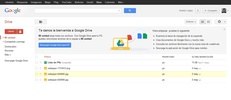
Google Drive is the official client of this popular Google cloud storage service, thanks to which you can manage all your files from the comfort of Windows. The main purpose of this software is to sync folders or entire disks, so all their content is updated and saved in the cloud.

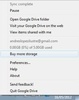
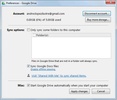
Sign into your account to start syncing

Once you have finished installing Google Drive, you just have to sign in with your Google account to start syncing your folders. Keep in mind, however, that the amount of available space you have depends directly on your subscription type. The free subscription, for example, allows you to store up to 15 GB, including photos, videos, and any other file type you want.

Advertisement
Remove ads and more with Turbo

Get more storage with Google One

If you're thinking about syncing several important folders from your PC, having plenty of storage space is a good idea. This is why Google offers several different subscription models. The Basic plan allows you to expand your storage capacity up to 100 GB, while the Standard plan allows up to 200 GB. The Premium plan, on the other hand, offers 2 TB of storage, plenty to sync an entire hard drive.

Back up all your files

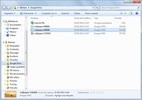
Thanks to Google Drive, you just have to drag any file from your computer into the shared folder, and it will be automatically uploaded to the cloud and linked to your Google account. That means that you can download the same file again from any other PC.

Sync your PC easily

Download the Google Drive client and discover one of the best mass cloud storage tools for PC. Not only does its integration with the rest of Google's products make it especially useful, but it's the perfect app for creating continuous backups of all your important files.

Information about Google Drive 122.0.1.0

Basic information

Developer Google
License Free
Category FTP
Rating Not specified
Languages English

Security and privacy

Required permissions Not applicable
Advertising Not specified
See security and antivirus report
Why is this app published on Uptodown? (More information)

Download info

Downloads 719,471
Date Mar 12, 2026
File type EXE
Size 315.42 MB
SHA256 b88052dd0d83664ee8f4002a16d3d8db8228e82c92b7bb5dd6e764a77883d4fb
Advertisement
Remove ads and more with Turbo

Older versions

See more
exe 121.0.1.0 Feb 20, 2026
exe 120.0.1.0 Jan 29, 2026
exe 119.0.2.0 Jan 14, 2026
exe 118.0.1.0 Dec 15, 2025
exe 117.0.0.0 Nov 19, 2025
exe 116.0.6.0 Oct 29, 2025
Available for other platforms

Rate this App

Review the app
Google Drive icon

Rating

4.4
5
4
3
2
1
14 reviews

Comments

See more
oldblackcoconut7506 icon
oldblackcoconut7506
5 months ago

awesome

Like
Reply
beautifulwhiteelephant71424 icon
beautifulwhiteelephant71424
8 months ago

Thank you

Like
Reply
fatgoldennightingale92821 icon
fatgoldennightingale92821
in 2024

Excellent site

1
Reply
elegantredhorse42739 icon
elegantredhorse42739
in 2024

Very beautiful

14
Reply
proudviolethorse42552 icon
proudviolethorse42552
in 2022

good app

2
Reply
slowyellowpineapple79918 icon
slowyellowpineapple79918
in 2022

Okay!

5
Reply
See more

It may interest you

Advertisement
Remove ads and more with Turbo
ownCloud icon
A quick and reliable solution to sync your files
CloudMounter icon
Store all your files in the Cloud
Proton Drive icon
Proton's cloud storage service
pCloud icon
Secure and easy-to-use cloud storage
RaiDrive icon
Access your Google Drive files directly from your PC
FileZilla Server icon
Transfer your files and don’t worry about privacy
TFTP icon
An advanced TFTP server for network environments
FileZilla icon
The most used client for uploading files via FTP
Google Chrome icon
Fast, clean and easy web browsing courtesy of Google
WhatsApp Desktop icon
The official WhatsApp app for Windows
Internet Download Manager icon
Accelerate your downloads with this powerful download manager
Uptodown App Store icon
Native Uptodown client for Windows 11
Proton VPN icon
Powerful, free, secure and unlimited VPN
Telegram Desktop icon
Talk to all your Telegram contacts from the desktop
TikTok icon
Enjoy this social network on Windows
Messenger icon
Send messages to your Facebook contacts from your PC